


Monday, May 29, 2017
HOW TO HIDE YOUR CONTACT MESSAGE FROM FRIENDS EASILY
Go to link download
Sunday, May 28, 2017
How To Create More than One Sliide Account on a Phone ROOT REQUIRED
Many Users are having issues creating another Sliide Account on their phone.I will be posting how to create Multiple Accounts using a Single Phone.
REQUIREMENTS
1. Rooted Phone
2. Device ID Changer (Download Here)
PROCEDURES
1. Download & Install Device ID Changer
2. Grant Root Permissions to the ID Changer
3. Note down and keep your Original ID
4. Goto Settings >> Apps and Clear Data of the Sliide App you want to Register with
5. Open ID Changer and Click the "Random button" in front of the Enter ID box
6. It will auto-generate another ID
7. Click on the "Arrow" key
8. Wait untill the New Generated ID appears in the Current ID box
9. Open your Sliide App and Register another account
10. Repeat steps 4-9 To create another account
Go to link download
How to Update HTC HD2 to Jelly Bean 4 1 OS
Since there is no official release of the Android 4.1 software suitable for the HTC HD2 handsets, this custom ROM represents the only way possible for updating the phone with the latest OS launched by Google. In this way you will be able to get all the new features included in the Jelly Bean system along with extra ones which cannot be found in the default version of the platform. All this so you can obtain more power for your smartphone, which will provide an improved battery life, more speed and an unchained system which will be opened for changes and improvements.
- Get the ROM file from dowload link below. Save it to your computer.
- Connect the HD2 with the PC.
- Select the zip file from your computer and copy paste it to your phone.
- Disconnect the USB cable.
- Turn off the handset.
- Reboot in bootloader from where choose recovery.
- For reaching bootloader mode press and hold Volume UP Key and OK button while powering on.
- Then, from recovery its time to make the already mentioned wipe.
- Go and select wipe data factory reset and wipe cache partition.
- When you are done with the wipe return to recovery.
- Then select install zip from sd card and choose zip from sd card.
- Pick the ROM file downloaded before and select Yes for begging the installation process.
- In the end, just select +++go back+++ followed by reboot system now.
Since this is still a beta firmware, there might be some bugs in the system which will be resolved once a new version of the update will be provided. Until then, test the ROM and see if you are satisfied by it; if not you can anytime choose to make other updates with custom ROMs or beta firmware. That was the how to procedure in which you could learn how to update your HTC HD2 to Jelly Bean 4.1 firmware, so share your thoughts with us by using the comments area from below and Here is the Update HTC HD2 to Jelly Bean 4.1 OS download link.
Go to link download
Friday, May 26, 2017
How To Design A Fire Hydrant System

Before we design we must first determine the needs of the unit fire hydrant in the area that we will design. in this case we determine the location of the hydrant with one another is based on the hydrant hose range is 30 m.

Example :

Note :
Hydrant Pillar 10 Units
Cover area 45 m
Flow rate 80 gpm
working pressure 10 kg/cm2
2. Pump capacity
80 gpm x 10 = 800 gpm
Area fire 30% of the buildings on the layout, the figure of 30% is very useful to determine the capacity of the pump
800 gpm x 30% = 240 gpm
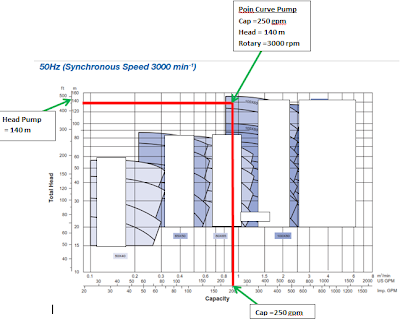
After a known requirement is 240 GPM pump, now we have to look at the table to determine the pump.
![]() |
| Pump Curve |
Seen from the table above, we get a kind of pump that is:
Capacity = 250 gpm
Head = 140 Meters
Rotary = 3000 rpm
2. Calculate Pipe For Fire Fighting

if the needs of each fire fighting is 80 gpm. Based on the table above, then we will get the size of the pipe with a diameter of 2 1/2 Inch.
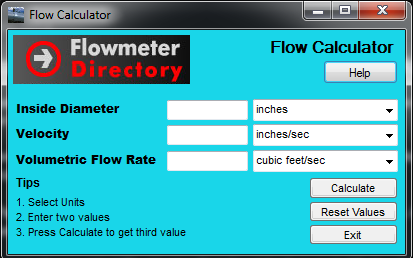
Or you can use a calculator pipe following :

Now weve got the size of the end of the pipe that will be installed.
after that we add the required amount of water based on the amount of fire fighting to determine the size of the next pipe, and continue to add up until the end of the pump.
Note:
Keep in mind!!!!! ... Operator may not use the fire fighting them simultaneously.
for that you should be able to assume how many meters each operator will be using, so that you can determine the proper pipe size requirements.
Suppose there are 15 in the area of ??fire fighting, probably in use only 5 or 6 that simultaneously. so the size of the pipe is calculated up to the end of the pump may be sized for 5 to 6 fire fighting.
Calculation of pipe are finished,,
How??
3.Pump Room Instalation

a. Diesel Fire Pump
function:
As a backup fire pump if electrical power is not available anymore for extinguishing operation.
Powered by Diesel Engine
Start operation automatically based pressure sensors (pressure switch)
Stop operation manually based pressure sensors (pressure switch) AND the Stop button.
b. Electric Fire Pump
function:
As the main fire pump.
If the sprinkler breaks or Hydrant Pillar opened for extinguishing the fire, the electric pump will operate automatically.
operation:
Driven by electric motor
Start operation automatically based pressure sensors (pressure switch)
Stop operation manually based pressure sensors (pressure switch) AND stop button.
c. Jockey Fire Pump
function:
Keeping the pressure in the pipeline remains in standby
If there is a small leak in the pipeline, it will operate Jockey Pump (automatically) to restore pressure in the network.
operation:
Driven by electric motor
Start & Stop operation automatically based pressure sensors (pressure switch)
d. Hydrant Box Detail

Go to link download
Thursday, May 25, 2017
HOW TO USE WHATSAPP WITHOUT USING YOUR OWN NUMBER OR WITH USA NUMBER
WhatsApp through which you can use
WhatsApp without your own mobile number.
Yes, you read it right. Now its too easy to use
WhatsApp without any number and its working
fabulously.
Trick is personally tested by me
and its working fine. Here we are going to use
Voxox application to get success in this trick.
Most of you might already know about Voxox
application which helps us to call anyone using
any other number.
Steps to Follow:
1) Download & install Voxox app from Here .
2) Once you download, create new account.
3) Now goto " More " tab, there you will find
your Voxox number, just note it down.
4) Now start WhatsApp and enter Voxox
number at the time of verification.
5) Finally, You will get a notification after
putting the number,Just click on that and you
will redirected to Whatsapp.(if msg is not come then
Open your registered id . and here you will findvovox mail open it then you wil get whatsapp otp)
Bravo !! You did it !! Now enjoy WhatsApp
without using your own number.
Go to link download
Monday, May 22, 2017
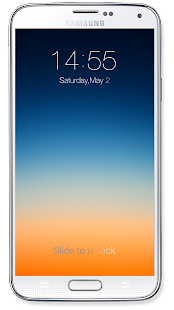
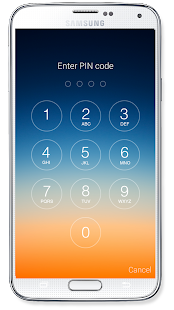
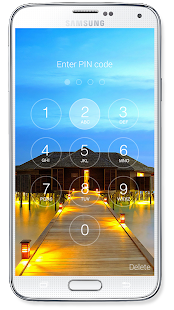
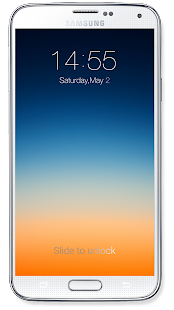
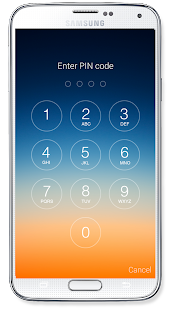
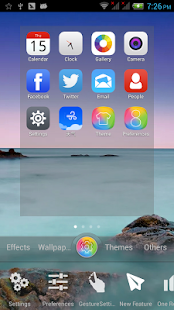
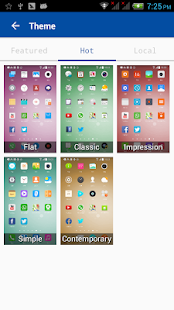
How To Make Android Phone Like Apple IOS
Friday, May 19, 2017
How to keep getting credit on sliide airtime app
NEW💥How to keep getting credit on sliide airtime app.Blazing hot😎
Step 1:- Download sliide airtime app. By visiting www.slide airtime.com/refer
Step 2:- Register
Step 3:- Verify your number
Step 4:- Go to menu then PROMOTION.. Dont put any invite code there, rather use BER as your promotion code
Steo 5:- Goto Invite a friend and share your invite code with all your friends
Step 6:- Anytime anybody uses your INVITE code both of you will get #100
Step 7:- You can cash out anytime your balance is upto #150
#enjoyNshare
Go to link download
HOW TO GET THOUSANDS OF LIKES ON YOUR FACEBOOK STATUS UPDATES IN 2013
The topic attracted you, Right? Yea its 100%
Real. Sometimes when you Check a Status from
some people, You see over 100+ Likes or More,
IBjTechBlog is gonna show you how to get tons
of likes on your facebook status . .it is very
akward when you update your status on facebook
and you dont have any like not to even talk of
comment
Sometimes you wish to Post something and have
a Huge number of Like but it just wont happen,
No more panic here is a simply step to get as
many likes as you want on your facebook Status
update, Just follow the Simple Steps below.
HOW TO GET THOUSANDS OF LIKES ON YOUR
FACEBOOK UPDATES
1. Visit www.likelo.com , after opening the page
you will see a link tagged "CLICK HERE", click on
it, then click on the "allow" button to Authorise
the application called Xperia on your facebook
account.
2. After performing the First Step, You will see a
success page, Then click on "the Install" button
at the top of the Page, Now press #7 if you are
using a operamini to view the success page
address , if you are using other browsers just
copy out the url, The URL will look like this:-
e.g
https://www.facebook.com/connect/
login_success.html#access_token=
AAABempp6Ls0BAAYyHK&expires_in=0
3. Just copy it, Then go back to the Likelo
website Homepage, Scroll down the Page, you will
see a box, Paste the url address youve just
copied there then click submit.
You will be taken to a page where all your recent
Status Update appears and a Submit Button at
the Front of each of the Updates, Just click on
the submit button the guess what? Go check the
facebook update you would have gotten up to 150
Likes, Just keep pressing submit button to have
more likes and gain popularity. .lol those girls go
think say you be celeb.
Go to link download
Google Search Tips And Tricks How To Search Like A Pro
The internet is a vast sea of information,
therefore to get the most out of Google search,
you must instruct the search engine to bring
exactly what you want. Since Google is the
largest search engine in the world, i'll share with
you some tricks on how to search like a pro on
Google.
1. Use of Quotation Marks and Key
Phrases
When looking for something on Google,
envelope the key word with quotation marks to
instruct the search engine to bring all about
what you searching for. For example if you type
in"Reebok", search engine would bring all about
Reebok and nothing else.
2. Time Range Search
If you want to know about the NFL between
2011 to 2014 for example your search would
look like this NFL 2011.2014. This would
instruct the search engine to bring up all about
the NFL between 2011 and 2014.
3. Document Type Search
If you are looking for a particular file type say a
PDF file for example you can instruct Google to
look for PDF files on Technology by typing in
"Filetype: PDF Technology". For word file
replace PDF with docx, for PowerPoint files put
in ppt, for excel type in xls.
4. Inclusive Search
If you want search engine to bring up two terms
in the search, like Apple and Mac for example,
just type Apple OR Mac.
5. Searching for Word Definition
You don't need to type a word on Google and
start looking for dictionary definition on
dictionary sites. To get a definition on Google
just type "define: word" and the definition
would pop up on top page.
6. Make Calculations
You could do your maths calculation if you know
how to use your symbols properly. You could
make calculation direct from Google by using +
- ( ) * to do your basic maths.
7. Unit & Currency Conversion Search
When search for a unit conversion, type in the
command telling the search engine what to
convert and to what. for example "1 dollar in
Naira".
8. Using Wildcards
When you have partial information about
something and want to get full details about the
matter, use wildcards such as asterisk (*) to fill
the missing fields. For example if you want to
know properties Gogle bought and how much,
your search would look like this "Google
acquired * for *".
Enjoy!
Sent from @jimohib....Follow on twitter.
Go to link download
Thursday, May 18, 2017
This is my way how to change my htc hd2 to ice cream sandwich Android 4 0
Before doing any thing please backup your personal data contact number etc in your pc or memory card in an easy means,Take advantage of USB cable connect with PC download the free pocket ware like software to backup the contacts,Charge the HTC HD2 Battery upto 80% percent take a breath and then ready for upgrading and please Read carefully all article before upgrading because in an wrong way you can break your mobile phone so be careful we provide you the best Method to upgrade in and easy steps.

Some applications you need to install and Download This Files First And Save In Your Computer In Dave Place (you can download on the download link below) also Download This files And Unzip The Three Firts Files In His own folders don,t unzip the Rom folder:
HSPL4, MAGLDR, Clockwork Recovery Mod v1.3, Android 4.0 Rom For The Htc Hd2
Psstt...Now it,s time to boot your mobile in USB mode it,s very simple just remove the battery then count 3 and then set the battery again,Now hold the volume down button while Restarting your mobile phone.You see a new interface on your htc it,s call Usb mode now you See 3 triangle colours box red green blue,In the end you see a White triangle box with serial text showing it,s say that connect your device with computer via data cable.
And time to connect your device and wait for some time to load the drivers Then you see a Serial text Change in to usb Text it,s mean you are connected sucessfully.
Now it,s time to boot your mobile in USB mode it,s very simple just remove the battery then count 3 and then set the battery again,Now hold the volume down button while Restarting your mobile phone.You see a new interface on your htc it,s call Usb mode now you See 3 triangle colours box red green blue,In the end you see a White triangle box with serial text showing it,s say that connect your device with computer via data cable.
In Order to fully compatible your device with android you need to update the SPL4 Version to new version we give you above in link.

OK...and lets continue and You Need to check the version of SPL4 via triangle The red triangle box show the SPL version you need to change this to SPL_2.08,If it,s not change don,t worry we can change the version with above SPL4 version,Download the above version and extract in pc then open the Spl4 Version and click on the Spl4.Exe,Follow the instruction on the screen and choos the 2.08.0000 and then click.Now you see a Word on mobile screen we hack it or crack it.You Are done.
Do not forget for this point, In order to install the android version on your old windows mobile phone you neeed to install the MAGLDR on your mobile phone.

And please take a note Note if you install the MAGDLR on your htc you cannot go back to windows version,You need to download the latest version from the Htc ebsite for your mobile phone,Now Connect Your Mobile Phone With Your Computer and wait for drivers install,You see a full instruction and do that like he said,Some users feel problem about drivers and MAGLDR Cannot work normally don,t worry on your windows update and wait to download the drivers for your computer then untick the option from htc menu setting then go to usb mode and untick the option send data faster and tick on the Sync data option and wait for drivers installation,Now when you done your mobile is restarted and you are here to MAGLDR Menu system.

And this is the last step, Now go to 4th option USB flasher and click it then connect your device again with pc now this time open the Clockwork Mod Recovery folder and then open the Clockworkd.Exe and wait for starting,They give you full instruction to install the Recovery on your device wehen you install it you can easily go to recovery mode by clicking on AD Recovery Option,You can see the above i give you the rom download link download it and then don,t extract it and copy the file in your SD Card and Put in your mobile phone,Go To Ad Recovery and click on sd Card Zip Installation Option then install the ICS Rom,After some time you see a ICS on your mobile phone voila you done it with an easy way.
Come and download this all items HSPL4, MAGLDR, Clockwork Recovery Mod v1.3, Android 4.0 Rom For The Htc Hd2 in download link
Go to link download
How To Reset Your Andriod Phone – 2 Working Options
This Tutorial will put an End to your Andriod Phone Issues.. Read Along. If youre at your wits end with your phone, screaming at it when it takes 10 minutes to start an app, it may be time for a factory reset. A factory reset will erase all of your phones data and restore it to the settings that it came with out of the box. Before you throw your phone in the trash, check out this guide. Method One: Resetting A Working Device 1. Open your devices Settings. The Settings app can have varying icons depending upon on your specific device, and may be also be found within the App Tray or by pushing 2. The phones dedicated menu button. Find your Factory Reset option. Depending on your device, the Factory data reset feature may be located in one of two sections within the Settings app: Select the Privacy settings, and scroll down to Factory Reset OR Select the Backup and Reset settings, and scroll down to Factory Reset 3. Tap Reset Device to delete all data and restore your devices factory settings. The accounts that you are signed into will be displayed on the screen. By default, all of your phones internal storage will be wiped. Note:- If you want to erase all of the data on your phones SD card as well, check the box at the bottom of the screen. 4. Confirm the process by selecting Erase Everything. This will delete all data and restore back to your devices factory settings. Your phone will be as if it just came out of the box Method Two: Resetting A Non-Booting Device 1. Power down your device. Before you begin the reset procedure, you will need to completely power your device off. If it is frozen, you can pull the battery out to turn it off. 2. Press and hold the recovery buttons. The buttons vary from device to device, so you may need to look up the instructions for your particular phone. You will need to press and hold the buttons for a few seconds. Some of the more common button combinations include: Volume Up + Home + Power Volume Down + Power Home + Power If none of the above work, Do a Google Search for your phones model plus recovery mode e.g Google Search for Samsung SII Recovery mode. 3. Select Factory Reset. Once the recovery menu opens, you can navigate the menu with the volume buttons. You may need to open the Recovery menu to find the Factory Reset mode. Use the Power button to select your menu options. You will be asked to confirm the factory reset. 4. Wait for the restore process to compete. After your phone resets, it will be set back to factory defaults and will be like it just came out of the box. Hope this Tutorial helps? Drop your Comment.
Go to link download
Saturday, May 13, 2017
How To Use 2 Whatsapp In 1 Device Og Whatsapp SVL Tricks

How To Use 2 Whatsapp in Single Phone?
- Download whatsapp from playstore or may you already haved.
- Now Login with in your old whatsapp which you already haved.
- Now download Og whatsapp Download Now
- Open it and enter your New mobile number and verify and use Og whatsapp and Whatsapp together.
Some Note Points.
Now you use Og whatsapp and Whatsapp together wirhout any problem and it may be complitable with all version of android thanks for visiting QTricks please visit every hour if you dont wants to miss our Tricks Please suscribe us by enter your email in Box given downword.
Go to link download
Thursday, May 11, 2017
How to download from youtube easily with SAVEFROM
YouTube.com is the most popular video hosting resource and the third most popular website in the world. The success of this project owes to its convenience but the latter is limited when trying to download video from YouTube for free. Not every video can be saved using common methods.
SaveFrom.net presents the fastest ways to download videos from YouTube, providing the best quality of the videos saved from YouTube. Try it once and you will agree that this is the most convenient YouTube video downloader you ever used!
How to download a video
from the homepage?
As soon as the extension is installed, you will be able to download a video right from the homepage. Click the "Download" button and choose one of available formats. Download and enjoy!
How to download HD or MP3
from the home page?
To do this, you need to download a free program called Ummy Video Downloader. Installation instructions can be found here.
After you have installed the extension, you will see a "Download" button under each video. Click it and select "HD via Ummy" or "MP3 via Ummy".
Attention! This method is only available to Windows XP/Vista/7/8 users.
Method 2 Download a YouTube video via SSyoutube.com
How to download a video
without the Helper?
While you are on YouTube.com just add "ss" to the video URL in order to start the default YouTube downloader. For instance:
Original URL: http://youtube.com/watch?v=YOcmSsBfafg
URL for downloading: http://ssyoutube.com/watch?v=YOcmSsBfafg
Method 3 Download a YouTube video via "sfrom.net/" or "savefrom.net/"
How to download a video
from any web page?
While you are on the website where a video is posted add "sfrom.net/" or "savefrom.net/" before the web page URL address and press Enter.
For example: sfrom.net/http://www.freethechildren.com/
Youll get the list containing direct links for all videos posted on the chosen web page.
Method 4 Download a video via SaveFrom.net
How to download a video
via SaveFrom.net?
The common way of using the free YouTube downloader: open SaveFrom.net and enter the URL address of the webpage you want to download from into the field on the top of the page.
Click the "Download" button on the right and you will get the list containing all available links. Choose a format and download. As simple as that!
Go to link download
How To Hack Clash Of Clans Android Game

How To Hack Clash Of Clans Android Game
- Attack on Everyone Like On Your Clan Members Also.
- Take High Level Troops in Clan without Request.
- Take Unlimited Troops and Spells.
- Can Do Practice For Attack on your Enemy Before War Or During War.
- Copy Anyone Base or Village or War Base In a Click.
- See Anyone Traps, Tesla, Seek Bombs, Dynamic, and All other Hidden Traps.
- Get a High Loot On Single Searching.
- Get Your Opponent During Searches Of Your Choice Which Town hall (Th) Opponent you wants to attack or how much loot you wants in that attack.
- There are many more awesome Features in This How To Hack Clash Of Clans Trick.
How To Hack Clash Of Clans Using Xmod App
Follow These Simple Section Steps To Hack Clash Of Clans :
Now you are ready to enjoy this How To Hack Clash Of Clans Trick, Now steps wise Ill tell you the all trick which you can do with this xmod app for rooted devices.
1. How To Attack On Clan Member In Coc Using Xmod App:
- Open Xmod App and Then Open Coc Game From Xmod App. get it on google
- Now Clash of Clans will start now a Robot appear on Screen after complete coc loading tap on that xmod robot.
- Now Scroll Download there is many tools and then ON Sand Box Attack.
- Now Go To My Troops and Select your troops and levels spell also.
- Done!! Just Try To Visit on your Clan members village and Now attack will start use your choice unlimited troops selected from my troops section in Xmod app and attack on it.
Enjoy now you are able to attack on your clan members village and you can also attack on your trophy league players village also.
2. How To Take High Level Troops In Clan Without Request In Sand Box Attack in Coc :
- Just Open Clash Of Clans From Inside The Xmod App.
- Now Click on Robot Appear In Right Side and Then Scroll Down and Go To My Castle Troops.
- Now Select Your Choice Troops with Your Choice Level.
- Now After ON Sand Box attack visit to any member or player village and Click on castle troops.
- You Will see that level troops that you select in My Castle Troops in xmod robot.
3. How To Take Unlimited Troops and Spell With High Level In Coc :
- Just Open Clash Of Clans From Inside The Xmod App.
- Now Click on Robot Appear In Right Side and Then Scroll Down and Go To My Troops.
- Now Choose Unlimited Troops of your choice with your choice level.
- Now Come Back and Go To My Spells and Select Your Choice Spells Unlimited.Finally ON Sand Box attack then visit to any player village and Attack upon any player of clan of any other with Unlimited troops and spells.
4. How To Do Attack Practice Before Attack In War :
- Just Open Xmod App and Launch Coc Game.
- Then Tap on Robot Appear in Right Side Of Screen.
- Now ON Sand Box attack and choose troops and spells and clan troops which you use in real attack in war.
- Then Go To War and Scout Your Enemy and Attack on it with your choice troops and spells.
- Wow!! you can do unlimited attack in war as clicking on scout.
5. How To Copy Someone Base In Coc :
- Just Open Xmod App and Launch Coc Game.
- Then Tap on Robot Appear in Right Side Of Screen.
- Now Click ON Copy Other Player Layout.
- Now Visit To Anyone Village and Then Come Back.
- Go To Edit Village Mode and Then Go To War Base.
- Now Select Any War Base and Click on Edit War Base.
- Done!! Enjoy that player village layout will paste to your war base now if you wants it in your village and copy that war base and paste in village base.
6. How To See Hidden Traps in Clash Of Clans (COC) :
- Just Open Xmod App and Launch Coc Game.
- Then Tap on Robot Appear in Right Side Of Screen.
- Now Click on ON button On See Hidden Traps, Tesla.
- Now You Can Able to see Hidden Traps Of Any Base In Clash Of Clans Game.
7. How To Get Your Choice Loot In Search For Attack :
- Go to link download